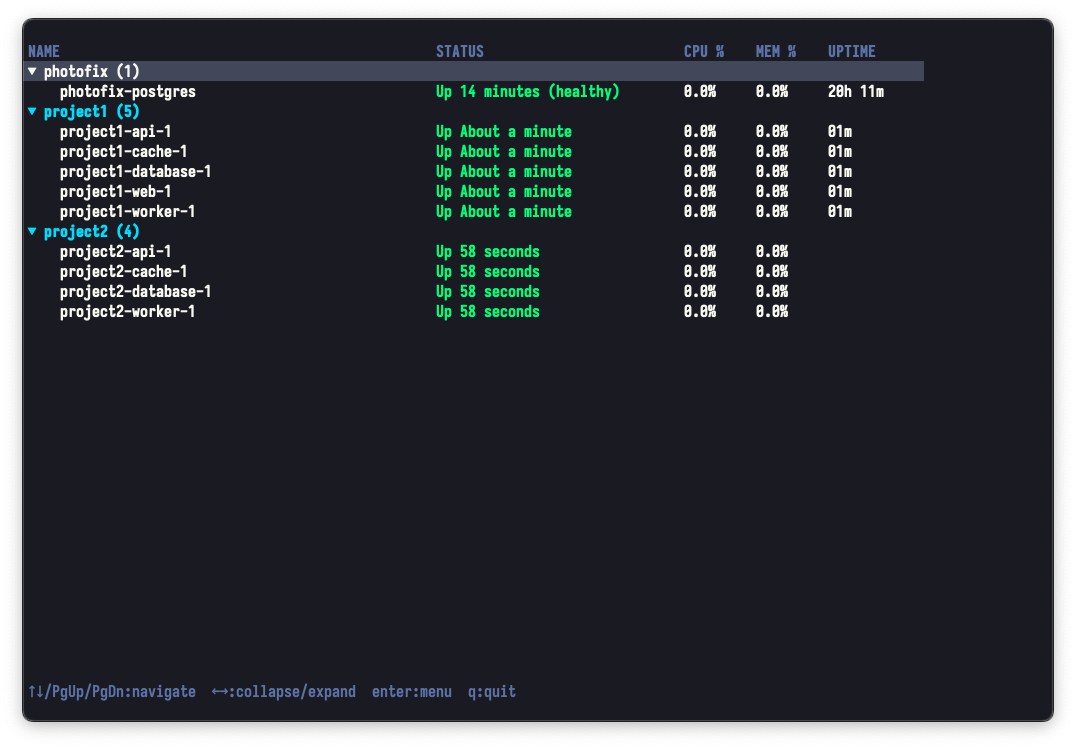
A terminal UI tool for monitoring Docker containers, inspired by htop. Displays containers grouped by project with an interactive tree interface.
Features
- Project grouping — automatically groups containers by name prefix (Docker Compose convention)
- Tree navigation — expandable / collapsible project view
- Real-time monitoring — auto-refreshes container status every 2 seconds
- Interactive actions — context-aware menu for managing containers
- Keyboard-driven — full navigation with vim-style keybindings
- Viewport scrolling — efficiently handles hundreds of containers
- List mode — non-interactive output for scripts and CI/CD pipelines (
--list) - Visual progress bars — CPU and memory usage with inline bar graphs
- Network monitoring — real-time RX/TX stats for each container
Installation
1go install github.com/ekinertac/dtop@latest
This installs dtop to your $GOPATH/bin directory (usually ~/go/bin).