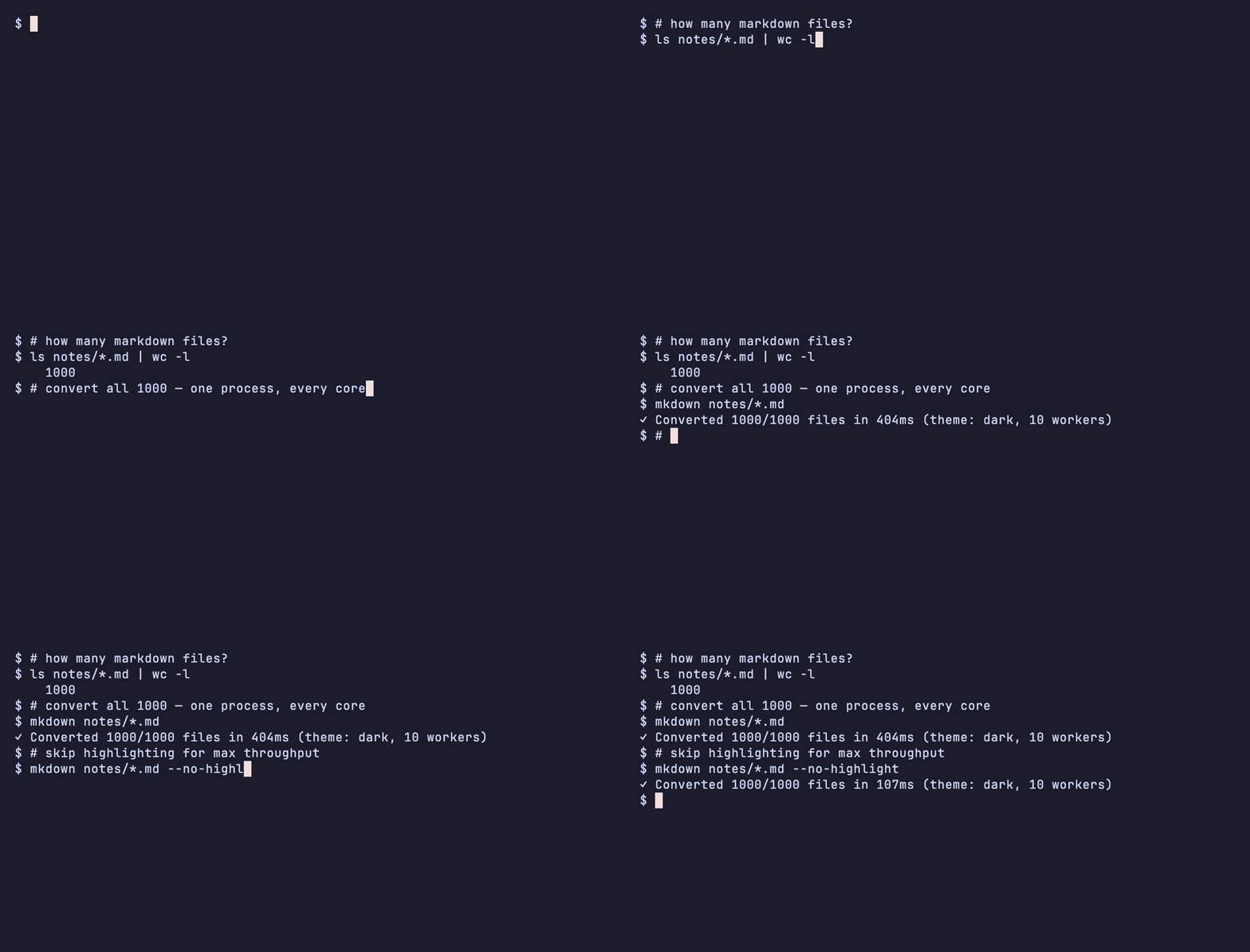
A fast, single-binary markdown to HTML converter that produces complete, self-contained styled pages — syntax highlighting and theme CSS included, with no runtime to install.
1mkdown input.md              # Converts to input.html
2mkdown doc.md -o out.html    # Custom output
3mkdown *.md                  # Batch: every file, converted in parallel
Features
- Single static binary, no runtime — no Node, Python, or Ruby to install
- Self-contained output — theme CSS embedded inline; one portable
.htmlfile - Fast parallel batch —
mkdown *.mdconverts a whole directory in one process across all available cores - GitHub Flavored Markdown (tables, strikethrough, task lists)
- Syntax highlighting with Chroma
- YAML frontmatter parsing
- Dark theme by default, light theme available, separated CSS for easy theming
Installation
1# Homebrew (macOS / Linux)
2brew install ekinertac/tap/mkdown
3
4# npx — no Go toolchain needed
5npx @mkdown/cli input.md
6
7# Go toolchain
8go install github.com/ekinertac/mkdown/cmd/mkdown@latest
Prebuilt binaries for macOS, Linux, and Windows (amd64/arm64) are attached to each GitHub Release.